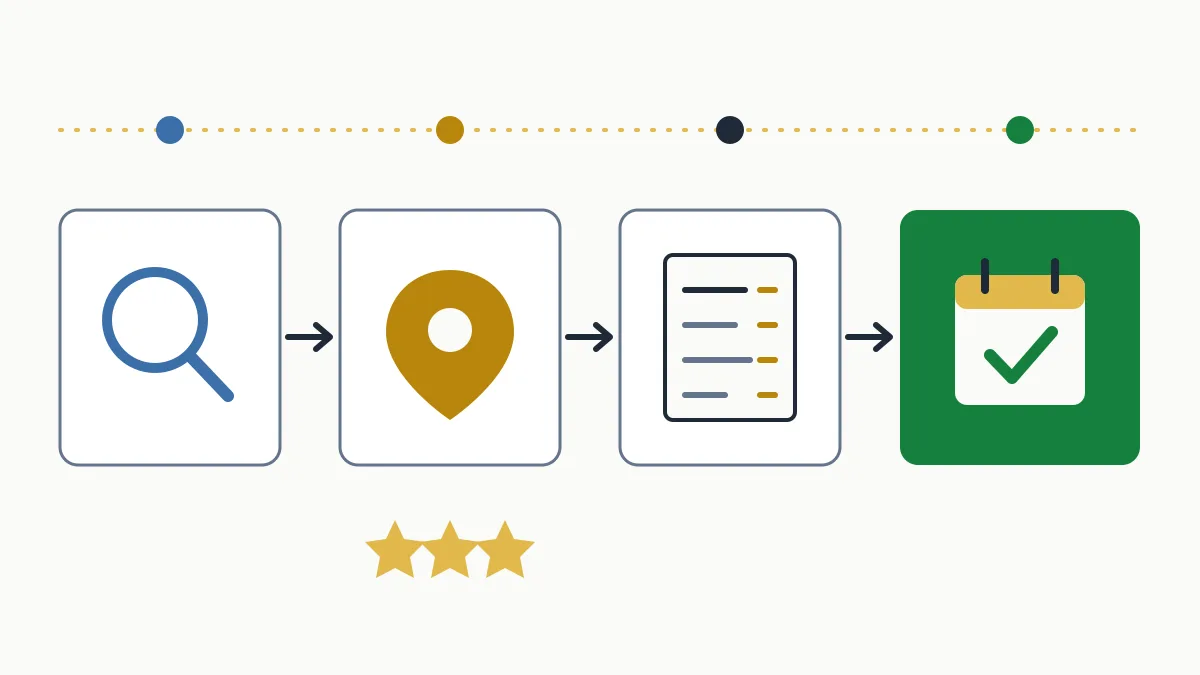
SEO for restaurants is the work of making your venue show up when someone nearby searches for a place to eat, both on Google's map and in the results below it. It rests on four pieces: a complete Google profile, recent reviews with replies, a menu Google can read and a short path to the booking.
What sets it apart from other sectors is time: someone searching “restaurant near me” decides within minutes, on a phone. They will not read your blog; they will look at photos, rating, menu and whether there is a table.
| Where it is decided | On Google's map, on a phone and often out on the street |
|---|---|
| Pieces that count | Google profile, reviews, indexable menu, booking |
| Where to start | Category, hours and menu on the profile; then the website |
1. What hungry people actually search for
Before changing anything, split the searches apart, because each one is answered by a different piece. When I review a restaurant, it nearly always handles searches for its own name well and has abandoned all the others.
| Type of search | Example | What answers it |
|---|---|---|
| Proximity | “restaurant near me”, “where to eat now” | Google profile: category, hours, distance |
| Cuisine + area | “rice restaurant in Barceloneta”, “grill in Vic” | Profile and home page stating cuisine and neighbourhood clearly |
| Occasion | “restaurant for groups in Girona”, “set lunch menu in Sabadell” | A dedicated page for each occasion |
| Need | “gluten-free restaurant in Tarragona”, “with terrace” | Profile attributes and a menu listing allergens |
| Brand | “[restaurant name] menu”, “[name] book” | Your website, ahead of the portals |
2. A restaurant's Google profile
The profile (Google Business Profile) is what shows on the map, and in hospitality it has fields other businesses do not get. If yours still needs work, the general part is in the Google My Business and local SEO guide; here is what is specific to a restaurant:
- A specific primary category. “Rice restaurant”, “Tapas restaurant” or “Pizza restaurant” say more than “Restaurant”. The primary one carries the most weight; secondary ones cover the rest (bar, café, takeaway).
- Real hours, kitchen hours included. Besides opening hours, the profile accepts additional hours (kitchen, pickup, delivery) and special hours for holidays. Wrong hours leave you out when the user filters by “open now” and, worse, send people to a closed door.
- Attributes. Terrace, good for groups, vegetarian options, wheelchair accessible, accepts reservations. These are the filters Google offers searchers.
- Menu and menu link. You can load it dish by dish on the profile and also link to the menu on your website.
- Booking and ordering links. Check which ones appear: links from third-party platforms sometimes show up without you adding them. From the profile you can mark your preferred one.
3. “Near me” searches: you earn them, you don't write them
Writing “near me” on your website achieves nothing: Google already knows where the searcher is. To order local results it uses three documented criteria: relevance (whether your profile matches what is being searched), distance and prominence (how well known the venue is, which is where reviews and your website's presence come in). How to work on them is in how to show up on Google Maps.
You cannot change distance. The other two you can:
- Relevance: a well-chosen category, a loaded menu, attributes ticked and a website that states plainly what cuisine you serve and in which neighbourhood.
- Prominence: a steady flow of reviews, mentions in local media and guides, and the same name, address and phone number everywhere.
4. A menu Google can read
This is where most restaurants fall short. The menu is the content most people want to see, and it tends to live in a PDF you have to pinch and zoom, in a photo, or behind a QR code that only works at the table. An image gives Google no reliable text to read, and a PDF reads badly on a phone.
What I recommend:
- An HTML menu on its own page: dish name, short description, price and allergens as text.
- Separate pages for what people search separately: set lunch menu, group menus, the wine list if it is one of your selling points.
- The same menu on the profile and on the website. If prices change with the season, change them in both places on the same day.
- Restaurant structured data (cuisine type, price range, hours, menu link, whether you take reservations). It helps Google understand the page; the details are in the structured data guide.
An example: a grill house in Osona that serves calçotades from January to March. If that offer only exists in a social media post, it does not compete for “calçotada near Vic”. With its own page stating dates, a rough price per person, what is included and how groups can book, it does.
5. Reviews: what is different for a restaurant
A restaurant gets reviews whether it asks or not, so the risk is letting only the customers who left angry do the writing. The general method is in how to get Google reviews; what changes in hospitality is this:
- The moment is the bill. A QR code on the receipt or the change tray works better than an email the next day.
- Nothing in return. A free shot or a discount for a review breaks Google's policies, and you cannot ask only happy customers either.
- Reply to the bad ones too, without arguing about anyone's taste: what happened, what you changed and a way to talk about it.
For the day-to-day of replies and removals, see the review management system.
6. From search to booking
Showing up does not pay the rent; bookings do. Check it on your own phone, as a customer would:
- The phone number can be tapped to call, on the profile and on the website.
- The booking button is visible without scrolling and does not ask for an account.
- You measure what happens: profile performance shows calls, direction requests and website clicks; Search Console shows the searches you appear for.
If you want to know which of these pieces is costing you the most tables, in the free initial analysis we review profile, menu and website and tell you where to start.
7. Mistakes I see often
- A menu only as a PDF or a photo, with prices from two seasons ago.
- Two profiles for the same venue (the previous owner's old one and the new one) splitting the reviews.
The order I would follow: profile (category, hours, attributes, menu), HTML menu on the website, a review routine and, last, pages per occasion. A restaurant's local SEO is won through consistency, not a one-off push.
Frequently asked questions
Can I keep the menu as a PDF only?
You can, but you lose out. Google can index PDFs, but they read badly on phones and do not let you work each menu as its own page. An HTML menu with the PDF as an optional download is the best combination.
What do I do about a fake or unfair review?
If it breaks Google's policies (not a customer, insults, spam), you can report it from the profile. If it is simply a harsh opinion, reply calmly: future customers read the reply.
How long does SEO take to show for a restaurant?
Profile changes (category, hours, menu, photos) usually show within days or a few weeks. Whatever depends on the website and on accumulated reviews moves more slowly; allow a few months.