You cannot turn off Google My Business reviews (the product is now called Google Business Profile): the profile has no setting to hide, pause or delete them. What you can do is report the ones that break Google's policies, reply to them in public, request removal on legal grounds where that applies, and earn more genuine reviews so the bad ones weigh less.
It is the question I get right after a bad week: one star from someone you don't remember serving, or an unfair complaint stuck at the top. Let's go through it with what Google documents, and without shortcuts that end worse.
Can you turn off Google My Business reviews?
No. Reviews are part of the profile and the owner does not control them: there is no switch to disable them all, to hide a specific one, or to stop receiving them for a while. Marking the business as closed or removing the profile from your account does not help either: what happens to the reviews in those cases may vary, but it is not a reliable way to make them disappear, and you lose control of the profile in exchange.
The only documented situation in which a profile stops receiving reviews is a restriction imposed by Google when it detects fake reviews: for a set period the profile cannot receive new reviews, existing ones may stop being shown, and a warning may be displayed to users. It is not an option you switch on: it is a penalty.
| What you want to do | Possible? | How |
|---|---|---|
| Turn off all reviews | No | The option does not exist |
| Hide or delete a review yourself | No | Only Google removes it, if it breaks the policies |
| Report a review | Yes | From the profile or from the reviews management tool |
| Appeal if Google keeps it | Yes, once per review | From the same management tool |
| Reply in public | Yes | From the profile, as the owner |
| Have the author edit or delete it | Yes, but it is up to them | By fixing the problem and asking without pressure |
| Request removal on legal grounds | Yes; the outcome may vary | Google's legal removal form |
How to report a review that breaks the policies
Google removes reviews when they break its content policies, not when they are negative. The reasons that do count include: fake or misleading content (someone who was never a customer, purchased reviews), conflict of interest (a competitor, a current or former employee), inappropriate content (insults, harassment, hate speech), topics unrelated to the experience at the business, advertising, or repetitive content.
There are two routes:
- From the profile: open your Business Profile, go to read reviews, select the report icon next to the review, choose the reason and submit.
- From the reviews management tool in Google's help centre: pick the business, report a new review for removal and, above all, check the status of the reports you have already filed.
If Google concludes the review breaks nothing, you can submit one appeal per review; the decision arrives by email and is final. That is why it pays to choose the reason carefully and not spend the appeal on a weak argument.
Replying: what the next customer reads
Your reply is public, and the person who really reads it is not the author but whoever will compare your business with two others tomorrow. For a restaurant in Gràcia with a one-star review about a long wait, a reply that acknowledges the problem, explains what has changed and invites the customer back does more than any report.
- Reply soon and without sarcasm. Short, specific, signed by a person.
- Do not argue the facts point by point: give your side in one sentence and offer a private channel.
- Do not reveal customer details. For a clinic in Tarragona or a law firm in Girona, confirming that someone is a patient or client is already a confidentiality problem.
- Reply to the good ones too: it shows when a business only turns up to defend itself.
The full system of templates and rotas is in the guide on how to manage your business's Google reviews.
Requesting removal on legal grounds
When the problem is not about policies but about the law (for example, a review you consider defamatory or one that publishes personal data), Google has a dedicated form to request removal of content for legal reasons. It is a separate process from ordinary reporting, Google assesses each case and the outcome may vary: there is no guarantee. If the damage is serious, talk to a lawyer first; they will tell you whether there are grounds.
Earning more genuine reviews
This is the only lever that depends on you alone. One bad review among eight weighs a lot; among eighty, it is one more data point, and Google itself notes that a mix of positive and negative reviews tends to look more trustworthy. The profile gives you a link and a QR code to ask for them.
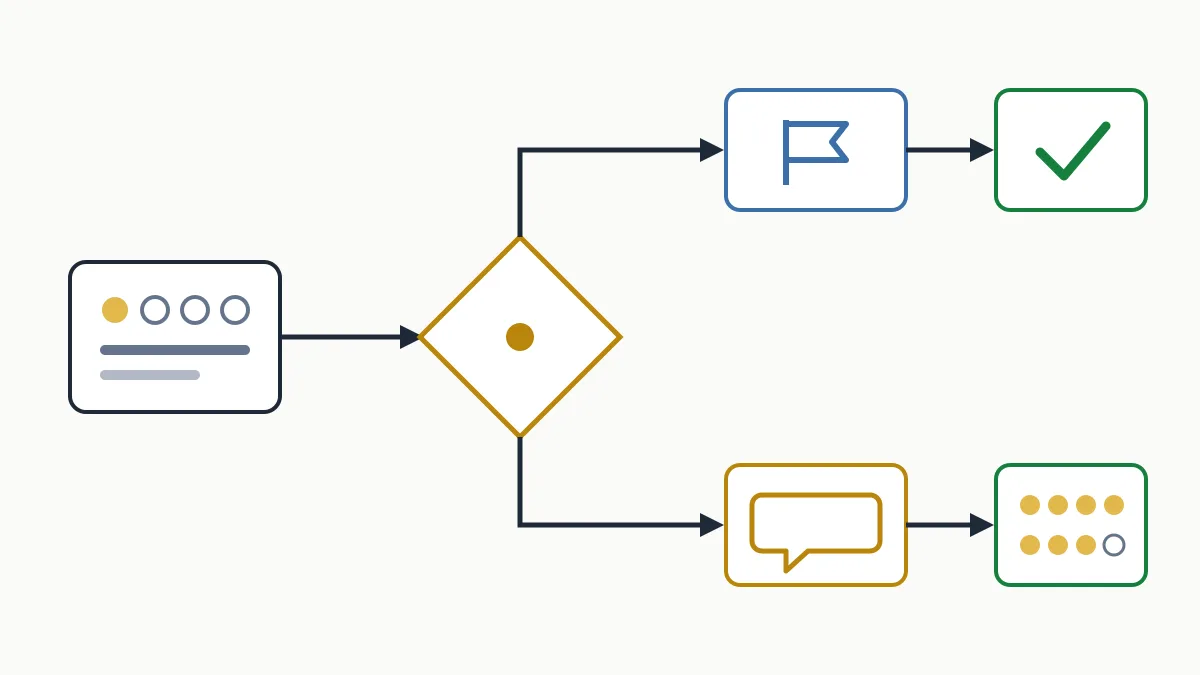
Two red lines, both set out in Google's policies: do not offer incentives (discounts, gifts, free services) in exchange for a review, and do not ask only happy customers or discourage negative reviews. Ask everyone, at the moment the service ends well. The step-by-step method is in how to get Google reviews, and if you would like us to set this up with you, see what our local SEO service includes.
Mistakes that make it worse
- Buying positive reviews or asking employees and relatives for them: that is fake content or a conflict of interest, and it is what leads to profile restrictions.
- Offering a discount so the customer withdraws the complaint: the policies explicitly prohibit it, just like paying for a review.
- Paying someone who promises “guaranteed review removal”: no outsider can delete anything; all they can do is report through the same channels you have.
- Mass-reporting everything you dislike: it speeds nothing up and you waste appeals.
- Creating a new profile to start from scratch: duplicate profiles go against the guidelines and you put the good one at risk.
- Replying in anger: a harsh reply stays written far longer than the annoyance lasts.
Frequently asked questions
Can I hide the reviews on my Google profile?
No. The owner cannot hide all of them or even one. A review only stops showing if Google removes it for breaking the policies or if the author deletes it.
How long does Google take to remove a reported review?
The assessment usually takes several days. You can follow the status of each report in the reviews management tool.
Will Google delete a fake review if I show the person was never a customer?
If it fits fake or misleading content, you can report it for that reason and appeal if needed. Google decides; removal is not guaranteed.
If I close the profile and create a new one, do I lose the bad reviews?
It is not a reliable route and it creates duplicate profiles, which go against the guidelines. Working on the current profile pays off more.
Can I offer a discount in exchange for reviews, or to have one withdrawn?
No. Google's policies prohibit offering incentives in exchange for posting, changing or removing reviews, and doing so can lead to restrictions on the profile.
What to do today
Classify the review: if it breaks a policy, report it with the exact reason; if it is genuine criticism, reply well; and in both cases start asking for reviews systematically. If you want to know how your profile and your website look from the outside, ask us for the free initial analysis and we will show you with data.