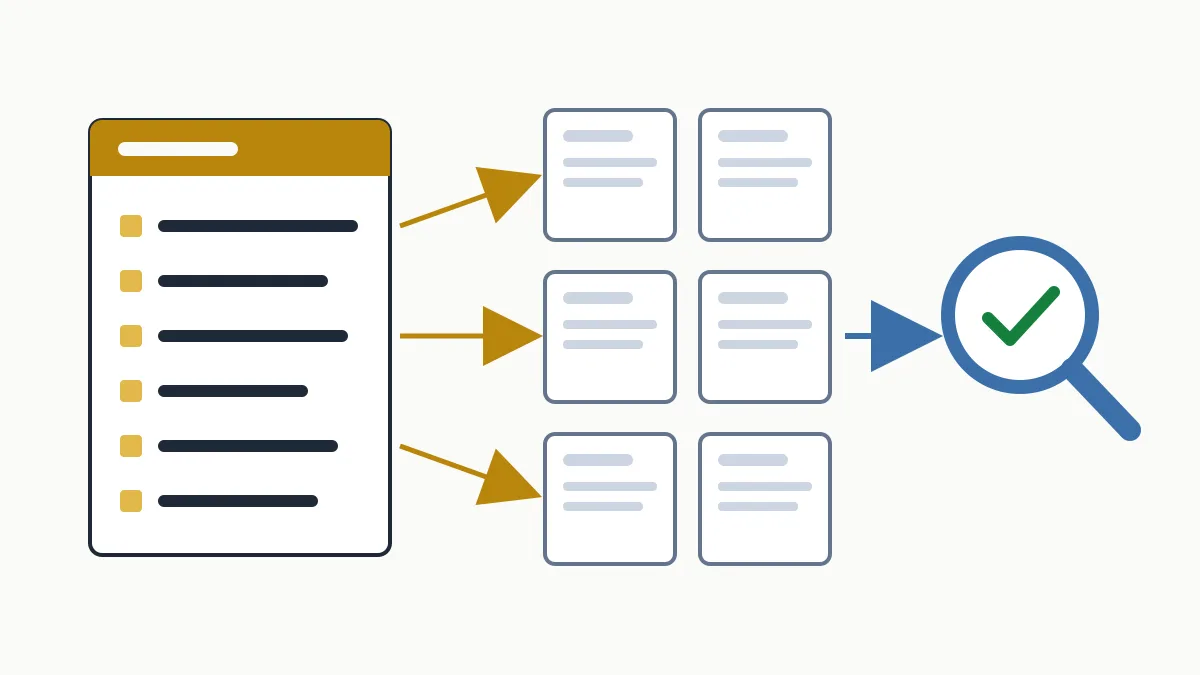
301 redirects are the response a server gives to say that a URL has moved permanently to another address. The browser takes the visitor to the new URL without them doing anything, and Google reads it as a strong signal that the new URL is the one to show in results, consolidating the old URL's signals into it. You use them when changing a URL, merging duplicate pages or changing domain.
Done well, nobody notices them. Done badly (multi-hop chains, loops, everything sent to the home page) they are one of the most common causes of lost traffic after touching a website. Here are the judgement calls and the code, ready to copy.
What a 301 redirect is
When someone requests a page, the server answers with a status code. 200 means “here it is”; 404, “it does not exist”; 301, “it has moved for good, it is at this other address”. That address travels in the Location header of the response.
| Code | 301 Moved Permanently |
|---|---|
| Type | Permanent, server-side |
| Where it is configured | Server (.htaccess on Apache, Nginx configuration) or content management system |
| How long to keep it | One year at least; ideally, indefinitely |
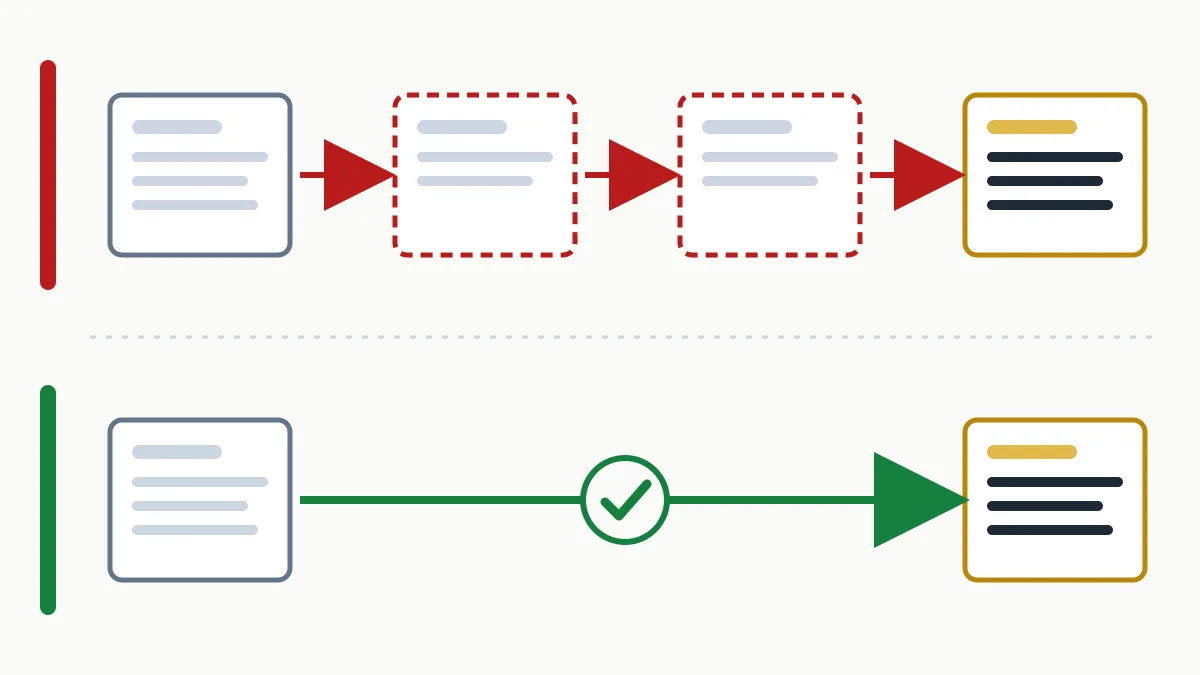
| The ideal | A single hop, from the old URL to the final one |
It has three effects: a visitor arriving through an old link or bookmark does not see an error, the links other sites gave you keep working, and Google gradually replaces the old URL with the new one in its results.
When to use a 301 redirect and when not to
Use it when the change is permanent:
- You change a page's URL (from
/services-2019/to/services/). - You merge two pages that competed for the same thing into one.
- You move from
httptohttps, or choose between thewwwand non-wwwversion. - You remove a product or service that has a clear replacement.
- You change domain or rebuild the site with a different structure. That is a project with more steps: the full plan is in the post on SEO migration.
Do not use it when:
- There is no equivalent page. If you retire content with no replacement, the right answer is a 404 or a 410. Redirecting everything to the home page preserves nothing: Google may treat those redirects as a soft 404 and the visitor lands somewhere unexpected.
- The change is temporary (a promotion, a page under maintenance): that calls for a 302.
- Both URLs must stay accessible, such as a filtered version of a category: that is what the
canonicaltag is for.
301 vs 302 and other codes
| Code | Meaning | What Google does | Use it for |
|---|---|---|---|
| 301 | Moved permanently | Strong signal that the target URL is canonical | Permanent URL or domain changes |
| 308 | Permanent redirect | Same as 301 | The same; keeps the request method (forms, APIs) |
| 302 | Found (temporary) | Weak signal; tends to keep showing the source URL | Campaigns, tests, maintenance |
| 307 | Temporary redirect | Same as 302 | The same, keeping the method |
| 410 | Gone | Drops it from the index | Deleted content with no replacement |
The classic mistake is leaving a 302 on a change that is permanent: some CMSs and hosting panels use it by default. Always check which code is actually returned.
How to set up 301 redirects in .htaccess
If your site runs on an Apache server (the norm on shared hosting), redirects go in the .htaccess file at the root. Before touching it, save a copy: a syntax error leaves the whole site returning a 500 error. In the examples, replace www.example.com with your domain.
One URL to another
Redirect 301 /contact.html https://www.example.com/contact/A whole folder to another
RedirectMatch 301 ^/blog/(.*)$ https://www.example.com/news/$1Each URL under /blog/ goes to its equivalent under /news/. Watch out for plain Redirect: it matches by prefix, so Redirect 301 /blog https://www.example.com/news also carries along everything below /blog.
HTTP to HTTPS and non-www to www, in a single hop
RewriteEngine On
RewriteCond %{HTTPS} off [OR]
RewriteCond %{HTTP_HOST} !^www\.example\.com$ [NC]
RewriteRule ^ https://www.example.com%{REQUEST_URI} [R=301,L]
This rule sends any variant straight to the final version. If the same .htaccess also serves subdomains, adjust it, because it would redirect them as well.
A detail that causes chains: in an .htaccess file, Apache applies RewriteRule rules before Redirect ones, whatever order they are written in. If both are present, an old URL requested over http takes two hops. To avoid it, write the specific redirects as RewriteRule too and place them above the general rule:
RewriteEngine On
RewriteRule ^contact\.html$ https://www.example.com/contact/ [R=301,L]

RewriteCond %{HTTPS} off [OR]
RewriteCond %{HTTP_HOST} !^www\.example\.com$ [NC]
RewriteRule ^ https://www.example.com%{REQUEST_URI} [R=301,L]
Domain change keeping every path
RewriteEngine On
RewriteCond %{HTTP_HOST} ^(www\.)?old-domain\.com$ [NC]
RewriteRule ^ https://www.new-domain.com%{REQUEST_URI} [R=301,L]
A URL with parameters
RewriteEngine On
RewriteCond %{QUERY_STRING} ^id=42$
RewriteRule ^product\.php$ https://www.example.com/products/oak-chair/ [R=301,L,QSD]
Redirect cannot see query parameters; you have to test them with RewriteCond. The QSD flag (Apache 2.4 or later) stops ?id=42 from being carried over to the new URL.
If your server is Nginx there is no .htaccess; the equivalent goes in the site configuration:
location = /contact.html {
    return 301 https://www.example.com/contact/;
}
301 redirects in WordPress
- With a redirect plugin (the most widely used is called Redirection; many SEO plugins include their own): you enter source and target URL and choose the 301 code. It is the most convenient option for dozens or a few hundred rules, and lets you export them.
- In .htaccess: put your rules above the block that starts with
# BEGIN WordPress. WordPress rewrites whatever sits between those markers and you could lose it. - When you change a post's slug, WordPress usually redirects the old address by itself. Do not assume the same for pages, categories or products: always check.
If a plugin and .htaccess redirect the same URL to different places, you will get a chain or a loop. Pick a single place to manage them.
Redirect chains and loops
A chain is a redirect that leads to another redirect: A goes to B, B goes to C. It usually appears through accumulation (a URL changed in 2021 and again in 2024) or stacked rules: from http to https, then to www, then to the trailing slash. Each hop delays loading, and Googlebot stops following a chain after 10 hops. The fix is to make every old URL point directly at the final one.
A loop is a chain that returns to the start: A goes to B and B goes back to A. The browser shows a “too many redirects” error and the page becomes unreachable. Usual causes:
- The server forces
httpswhile a proxy or CDN in front talks to it overhttp, so the%{HTTPS} offcondition is always true. - One rule adds the trailing slash and another removes it.
- A plugin redirects one way and
.htaccessthe other.
canonical tags and the XML sitemap so they point to the final URL. The redirect is the safety net, not the main road.How to check they work
Browsers cache 301s, so yours may show you a redirect you have already fixed. Test in a private window or, better, from the terminal:
curl -I https://www.example.com/contact.htmlThe response should start like this:
HTTP/1.1 301 Moved Permanently
Location: https://www.example.com/contact/
To see every hop in a chain:
curl -sIL http://example.com/contact.html | grep -iE '^(HTTP|location)'If more than one Location line appears, you have a chain. In Search Console, URL Inspection tells you which address Google considers canonical, and in the page indexing report it is normal for old URLs to be listed as “Page with redirect”. To find your way around those reports, there is the guide on how to use Google Search Console step by step.
Frequently asked questions
Do you lose rankings with a 301 redirect?
Google treats a 301 as a strong signal that the new URL replaces the old one and transfers its signals. There may be fluctuations while it processes the change. What does cost rankings is redirecting to a page that does not answer the same need as the original.
How long should a 301 redirect be kept?
Google recommends keeping them as long as possible, generally at least a year. If the old URL has links from other sites, leave it in place indefinitely: it costs nothing and keeps capturing those visits.
301 redirect or canonical tag?
A 301 when the old URL stops existing for the visitor. A canonical tag when both URLs must stay open but you want Google to show only one, for example on filtered versions.
Can I redirect all old URLs to the home page?
It is not a good idea. Google may treat those redirects as soft 404s and transfer no signals. Each URL should go to its closest equivalent and, if it has none, return a 404 or a 410.
In short
A well-made 301 redirect leads from an old URL to its real equivalent, in a single hop, for good. Before changing URLs, prepare the list of sources and targets; afterwards, test them one by one with curl. If you have inherited a site with years of changes and do not know what redirects where, request the free initial analysis: we locate chains, loops and 404 errors as part of the technical SEO review.