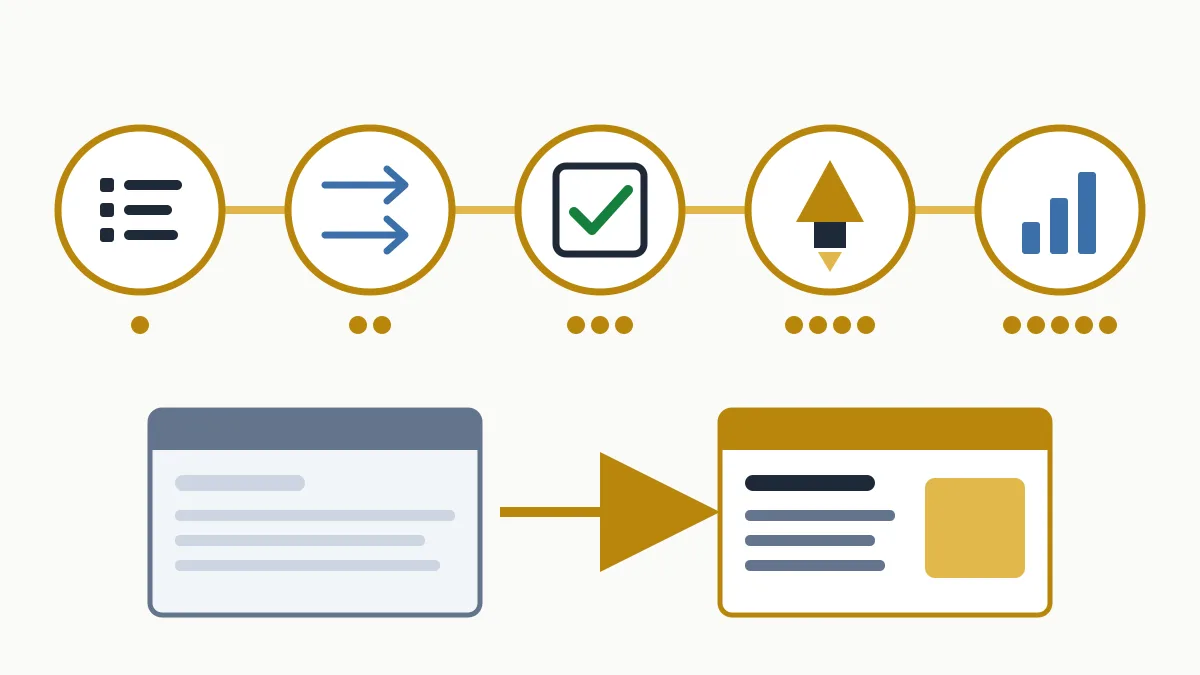
An SEO migration is the set of tasks that prevents losing organic traffic when a website changes domain, content management system, URL structure or design. It comes down to five phases: an inventory of current URLs, a redirect map, testing on staging, a controlled launch and monitoring over the following weeks.
Most drops after a redesign are not caused by Google. They are caused by URLs that stop existing without a redirect, a noindex inherited from the staging environment, or copy that disappears in the new template. All of that is avoided with a spreadsheet, some order and a checklist on launch day.
What an SEO migration is and when you need one
You need one whenever something Google already knows about your site changes: page addresses, their content or how they link to each other. Not every change carries the same risk:
| Type of change | What changes for Google | Risk |
|---|---|---|
| Redesign without touching URLs | Templates, copy, internal linking | Low to medium |
| HTTP to HTTPS | Every URL, uniformly | Low if redirected properly |
| Change of CMS | URLs, templates, tags and content | Medium to high |
| New URL structure | Every address, one by one | High |
| Domain change | Every URL and the site's identity | High |
One piece of advice before you start: if you can, do not combine several big changes. Changing domain, CMS and copy on the same day makes it impossible to know what went wrong if traffic falls. And pick a quiet period: a shop in Sabadell should not migrate in November, nor a hotel on the Costa Brava in June.
1. URL inventory
You cannot redirect what you do not know exists. The inventory is the list of every address on the current site, built by combining several sources, because none is complete:
- A crawl of the current site, which captures whatever is linked.
- The current sitemap.
- Search Console: the performance report, filtered by pages, over the maximum 16-month range. It surfaces URLs that still get clicks even though nothing links to them any more.
- The Search Console links report: pages with links from other websites.
- Analytics: landing pages across all channels, not just organic.
Put it all in one sheet, remove duplicates and note for each URL its clicks, impressions and whether it has external links. Flag the ones that bring in business (those generating calls, form submissions or sales): those are reviewed by hand, one by one.
Also save the baseline: export clicks, impressions and positions by page and by query. Without it you will not be able to tell a real drop from an impression later.
2. Redirect map
It is a table with two main columns: each old URL and the new URL that replaces it.
| Old URL | New URL | Action |
|---|---|---|
| /services/kitchen-renovations.html | /renovations/kitchens/ | 301 |
| /blog/2019/05/kitchen-ideas | /blog/kitchen-ideas/ | 301 (pattern rule) |
| /christmas-offer-2021 | — | 410, no replacement |
| /contact | /contact/ | Check it does not create a chain |
Rules for filling it in:
- One to one, to the most equivalent page. A service page goes to that service's page, not to the category or the home page.
- What has no equivalent is not redirected. A 404 or a 410 is an honest, correct answer for content that no longer exists.
- Review the redirects you already had. If A pointed to B and B now moves to C, change A to point straight to C.
- Use pattern rules where the structure allows it and keep individual lines for the exceptions.
How those rules are written on the server, the difference from a 302 and how to avoid chains and loops are covered in the post on 301 redirects.
3. Testing on staging
The new site is reviewed before going live, on a password-protected staging environment. A password is better than relying only on a robots.txt block, and it leaves no dangerous lines for someone to forget to remove.
Checklist:
- Content: important pages keep their title, main heading and copy. Redesigns tend to trim text, and with it the searches the page used to appear for.
- Tags: titles and meta descriptions migrated,
canonicalpointing to the new URL,hreflangif there are several languages, structured data. - Internal links: menus, footer and in-text links point to the new URLs, not to old ones through a redirect.
- Redirects: load the map onto staging and test the whole list: each old URL must return a 301 and reach, in a single hop, a page that returns 200.
- Performance and tracking: mobile speed, analytics tags and conversion events.
- Technical files: the production robots.txt ready and the new sitemap generated with new URLs only.
4. Launch day
Go live early on a low-traffic working day, never on a Friday afternoon, and with a full backup of the previous site. Then, in this order:
- Check that the new site responds and the HTTPS certificate is valid.
- Verify that no
noindexremains and that robots.txt does not containDisallow: /. - Test a sample of redirects, starting with the URLs flagged as priority.
- Submit the new XML sitemap in Search Console.
- If you changed domain, verify the new property and use the Change of Address tool in Search Console. It only applies to domain changes, not to structure changes within the same domain.
- Request inspection of the main pages and confirm analytics is recording visits.
noindex in the template and a Disallow: / in robots.txt, both copied from staging. Look for them on launch day even if you are sure they are not there.5. Monitoring after the migration
- First 48 hours: server errors, 404 pages receiving visits and failing redirects. Fix them on the spot.
- First weeks: in the Search Console page indexing report, new URLs should gradually come in as indexed and old ones move to “Page with redirect”. Compare clicks and positions with the baseline, page by page.
- Following months: review new 404s as they appear and ask the most valuable sites linking to you to update their link.
Fluctuations are normal while Google recrawls the site. Google states that on a medium-sized website most pages take a few weeks to move, and longer on large sites. Worry if a priority page is not indexed, if old pages keep appearing without redirecting or if the drop is concentrated in one section: it usually points to a specific, fixable fault. If you need to untangle it, the guide to Google Search Console step by step explains the reports involved.
Keep the redirects for at least a year, as Google recommends, and keep renewing the old domain: if it expires, everything pointing to it is lost.
Frequently asked questions
How much traffic is lost in an SEO migration?
There is no fixed figure. A well-prepared migration can pass with a few weeks of fluctuation; one without a redirect map can lose a large share of organic traffic. The difference lies in the preparation, not in luck.
How long does Google take to recognise the new site?
It depends on size and on how often Google crawls the site. On medium-sized sites most pages move within a few weeks; large sites need longer.
Do I need a migration if I only change the design?
If URLs and content do not change, the risk is low, but it is still worth checking titles, headings, internal links and speed. Many “design changes” end up altering URLs or removing copy without anyone having decided to.
When should preparation start?
Before designing the new site, not the week of launch. The inventory and the redirect map shape the URL structure, and deciding it on paper is far cheaper than rebuilding it afterwards.
In short
An SEO migration goes well when it is prepared before anything is touched: full inventory, one-to-one redirect map, testing, a launch-day checklist and data-driven monitoring. If you are about to rebuild your site or change domain and want to know which pages you cannot afford to lose, request the free initial analysis; it is the starting point for the technical SEO work that goes with any website change.