What is Google Analytics, exactly? It is Google's free tool that records what people do inside your website or app: where they come from, which pages they view and whether they end up doing what you care about (calling, filling in a form, buying). The current version is called Google Analytics 4, or GA4.
Its purpose is to let you decide with data: knowing which channel brings customers and which pages lose them. Here is what it measures, what it does not, and how it differs from Search Console, with which it is often confused.
| What it is | Google's web analytics tool; current version: GA4 |
|---|---|
| What it answers | What people do once they are on the site |
| Price | Free in its standard version |
| Unit of measurement | The event: each user interaction |
| What it does not do | It shows neither rankings nor organic search queries: that is Search Console's job |
What Google Analytics (GA4) is
Google Analytics works through a small snippet of code —the Google tag— installed on every page of the site. Each time someone visits, the tag sends Google what happens: a page loads, the user scrolls, a link is clicked, a form is sent. Analytics groups that data into reports.
The version that exists today is Google Analytics 4. The previous one, Universal Analytics, stopped processing data on 1 July 2023. The change was more than a rename: GA4 measures everything as events, whereas its predecessor was built on sessions and pageviews. So if you learnt on the old version, some metrics have changed or disappeared.
The standard version is free and enough for any small business. There is a paid version, Analytics 360, aimed at companies with very large data volumes.
What Google Analytics measures
- Users: how many people (strictly speaking, browsers or devices) have visited the site.
- Sessions: each visit. The same person can have several.
- Events: each interaction. With enhanced measurement, GA4 collects several without any coding: page views, scrolls, outbound clicks, site searches, file downloads and interactions with forms and videos.
- Key events: the events you mark as important for the business —a quote request, a purchase, a click on the phone number—. Until 2024 they were called “conversions”.
- Engaged sessions: those lasting longer than ten seconds, containing a key event or including at least two page views. This gives the engagement rate, which replaces the old bounce rate as the reference.
- Acquisition: the channel each visit arrived through —organic search, paid search, direct, referral, social, email—.
- Context: device, country and city, browser language.
Translated into business questions:
| What you want to know | Where to look in GA4 |
|---|---|
| Where do the visits that become enquiries come from? | Traffic acquisition, with the key events column |
| Which pages do people enter through? | Landing page |
| Which pages are viewed most? | Pages and screens |
| Does the site perform worse on mobile? | Tech reports, by device category |
| Did form submissions jump after a change? | Events, comparing periods |
| What is happening right now? | Realtime |
What Google Analytics does for a small business
A small business does not need twenty reports. It needs to answer three or four questions that affect where the money goes:
- Which channel brings customers, not just visits. A joinery in Vic may discover that Instagram brings plenty of visits and no enquiries, while organic search brings fewer visits but nearly all the quote requests.
- Which pages lose people. If a service page gets traffic but nobody reaches the form, the problem is the page, not the channel. It is the same logic we explain in what a landing page is.
- Whether an action worked. You rebuilt the homepage, sent a newsletter or switched on ads: compare before and after using the same yardstick.
- Whether a campaign pays off. With key events set up, you know how many enquiries each euro spent on Google Ads has generated.
Differences between Google Analytics and Search Console
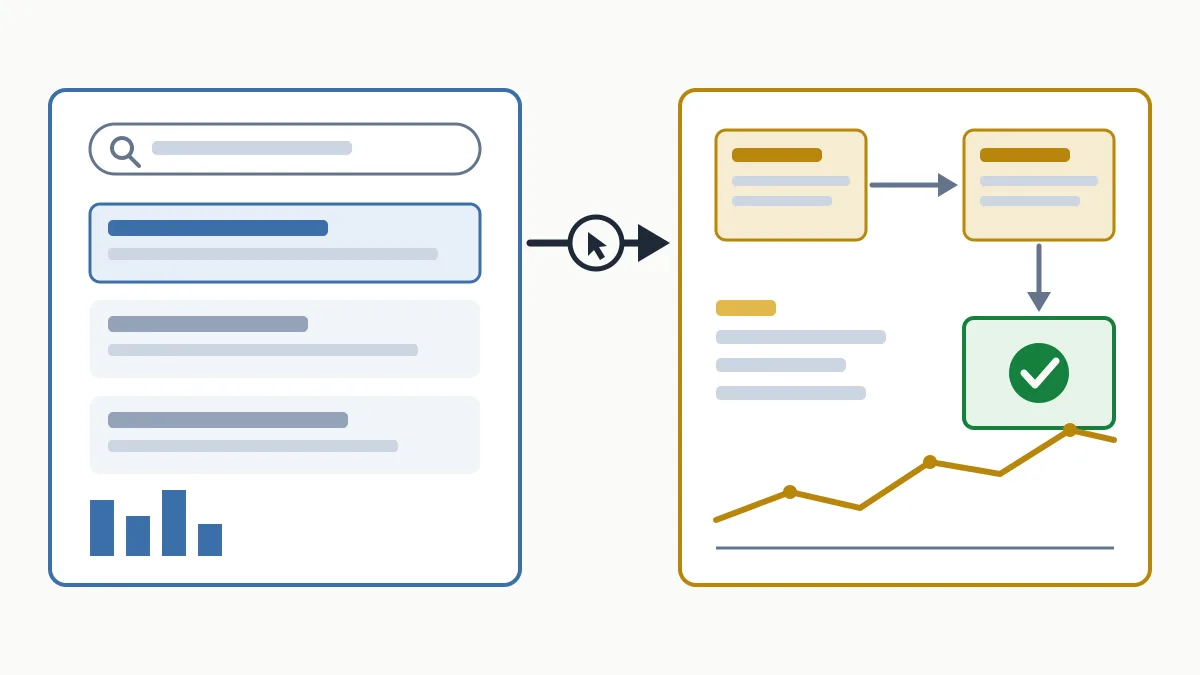
They are two free Google tools that complement rather than replace each other. The simplest way to remember it: Search Console measures what happens on Google before the click; Analytics measures what happens on your site after it.
| Search Console | Google Analytics | |
|---|---|---|
| What it looks at | Your presence in Google's results | Behaviour inside the site |
| Main data | Impressions, clicks, average position, queries | Users, sessions, events, key events |
| Channels | Google Search only | All: organic, ads, social, email, direct |
| Code to install? | No, just verify ownership | Yes, the tag on every page |
| Detects technical problems? | Yes: indexing, crawling, Core Web Vitals | No |
For SEO, the first one you should have is Search Console; we explain it in what Google Search Console is. The two can be linked so that search queries can also be seen from Analytics.
Do not worry if Search Console clicks and Analytics organic sessions do not match. They measure different things with different methods: a click does not always end in a recorded session, and Analytics only sees those who loaded the tag and agreed to be measured.
What Google Analytics does not do
- It does not tell you your ranking or which organic searches found you.
- It does not see everything. In Spain, analytics cookies require user consent as a rule. Those who decline are not recorded in the usual way, so the figures are a sample, not a census.
- It does not keep the detail forever. Data retention for explorations is two months by default and can be extended to fourteen in the settings.
- It does not improve rankings. Google has said publicly, more than once, that it does not use Analytics data to order results. Installing it does not move you up; it helps you decide better.
Common Google Analytics mistakes
- Installing it and setting up no key events. The most frequent one.
- Counting your own visits. Those from your team and your web provider inflate the data unless internal traffic is filtered.
- A duplicated tag (in the theme and in a plugin at once, for example), which doubles page views.
- A cookie banner not connected to the tag: either you measure without permission or you measure nobody.
- Leaving retention at two months and finding out when you want to compare with last year.
- Looking only at users. More visits does not mean more customers. Which indicators matter is covered in SEO KPIs and in how to measure SEO results.
Frequently asked questions
Is Google Analytics free?
Yes, the standard version of Google Analytics 4 is free and covers a small business's needs. The paid version, Analytics 360, is for companies with very large data volumes.
What is the difference between GA4 and Universal Analytics?
Universal Analytics was the previous version and stopped processing data in July 2023. GA4 measures by events instead of sessions and pageviews, and brings web and apps together.
Do I need Google Analytics if I already have Search Console?
If you want to know what visitors do on the site and which channels bring enquiries, yes. Search Console only covers Google Search and stops at the click.
Does installing Google Analytics improve SEO?
No. Google has said publicly that it does not use Analytics data for ranking. What improves is your ability to see what works.
What is a key event in GA4?
It is an event you mark as important for the business, such as sending a form or completing a purchase. It is what used to be called a conversion.
In short
Google Analytics tells you what happens inside the site; Search Console tells you how people reach it from Google. With both properly set up, you stop deciding on instinct. If you want to know what your site's data says today, request the free initial analysis.