What is Google Ads? It is Google's advertising platform. It lets you show ads on the search engine, Maps, YouTube, Gmail and partner websites, and in search campaigns you generally pay when someone clicks. Who appears, in what position and how much they pay is decided by an auction run on every search, in which both the bid and the quality of the ad count.
Until 2018 it was called Google AdWords. Below: what it is for, how the auction works, which campaign types exist and —with no made-up figures— what determines how much you end up paying.
| What it is | Google's ad platform (formerly Google AdWords) |
|---|---|
| Where ads appear | Search, Maps, Shopping, YouTube, Gmail, Discover and partner sites |
| How you pay | Mostly per click; also per impression, view or conversion |
| Who decides the order | An auction on every search: bid, quality and context |
| Minimum spend | The platform sets none: you set the budget |
What Google Ads is and what it is for
Google Ads is for buying visibility in front of people who are already searching for what you sell, or who match your audience. Search ads carry a “Sponsored” label and sit above or below the organic results.
For a small business, the uses that make most sense are:
- Showing up straight away on searches where you do not rank yet: a new site, a new service, a new area.
- Capturing demand with intent: “emergency plumber Terrassa” or “inheritance lawyer Girona” are searches from people ready to hire.
- Pushing a dated offer: sales, enrolments, high season.
- Checking whether a keyword brings customers before investing months in ranking for it.
- Reaching again people who have already visited the site (remarketing).
How the Google Ads auction works
Every time someone searches, Google checks which advertisers have keywords matching that search and runs an auction among them. The highest bidder does not simply win. What orders the ads is Ad Rank, which according to Google's documentation is calculated from:
- The bid: the most you are willing to pay for a click.
- The quality of the ad and the landing page.
- The minimum thresholds of quality an ad must clear to be shown at all.
- The competitiveness of that particular auction.
- The context of the search: location, device, time and exact terms.
- The expected impact of the ad's assets (sitelinks, call, location…).
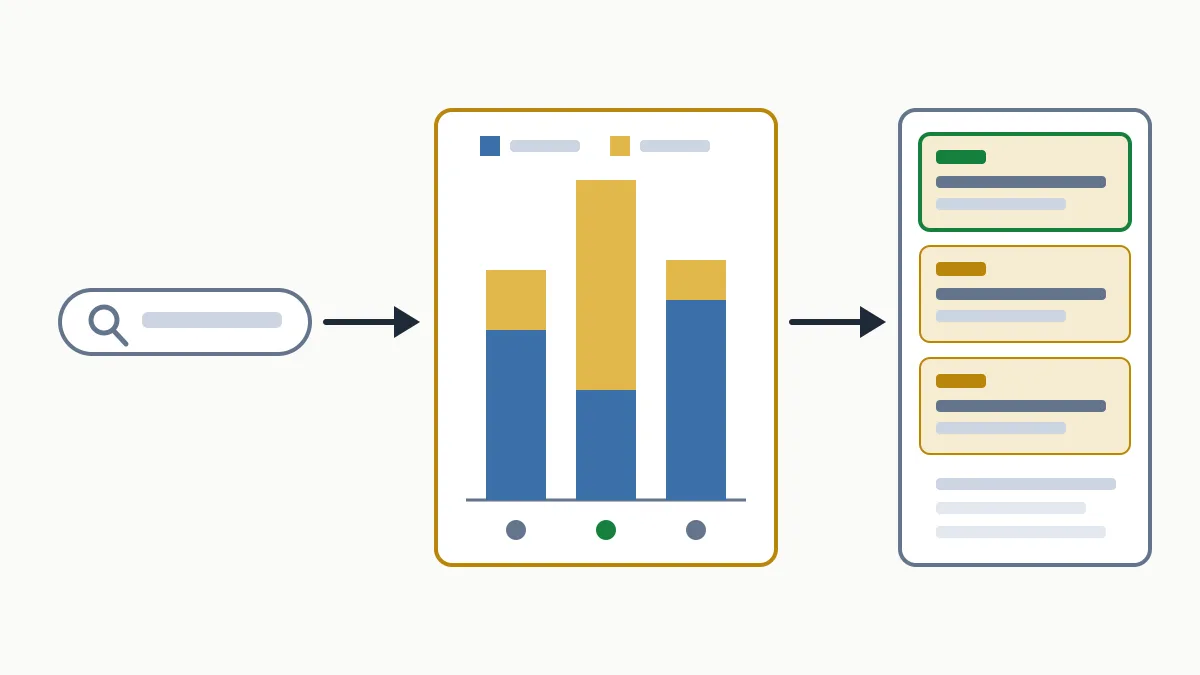
The practical consequence is that a relevant ad with a good page can sit above a competitor offering more money, and pay less per click.
Quality Score
Quality Score is a rating from 1 to 10 that Google shows for each keyword. It summarises three components: expected click-through rate, ad relevance to the search and landing page experience. It is a diagnostic tool —it is not fed as such into the auction— but it tells you where the problem lies: in the ad or in the page. That is why sending traffic to a purpose-built page matters so much; we explain it in what a landing page is.
Keywords and match types
You choose the keywords and how strict the match should be: broad (related searches), phrase (searches that include the meaning) or exact (the same meaning). Negative keywords do the opposite: they exclude searches you do not want to appear on, such as “free” or “jobs”.
Google Ads campaign types
| Type | Where it appears | When it suits a small business |
|---|---|---|
| Search | Google results, as text | Services and local businesses with active demand. The usual starting point. |
| Shopping | Product listings with photo and price | Online shops with a catalogue. |
| Performance Max | All Google channels, managed automatically | Once you measure conversions properly; it gives less control. |
| Display | Banners on partner sites and apps | Remarketing and awareness, not direct lead capture. |
| Video | YouTube | Brand and products that need to be shown. |
| Demand Gen | YouTube, Discover and Gmail | Reaching people who are not searching yet. |
| App | Several channels | Only if you promote an app. |
What you pay on Google Ads: how the cost is formed
Google Ads has no rate card. There is no list price per click and no monthly fee: what you pay comes out of the auction and the budget you set. That is why any “average” figure you read is of little use for your case. What you can understand is what it depends on.
- The payment model. On Search and Shopping you pay per click (CPC). On Display and Video you can also pay per viewable impression or per view. With some automated strategies, the target is a cost per conversion.
- Your bid is a ceiling, not a price. The actual CPC is the minimum amount needed to clear the thresholds and stay above the advertiser below you. It is often lower than the maximum bid.
- Competition for that search. The more advertisers want the same keyword and the more the customer behind it is worth, the higher the auction goes. A search for a high-value service in a big city does not cost the same as a very local one.
- Quality. With more relevance and a better page you need to bid less for the same position.
- The average daily budget. You set it per campaign. Google may spend up to twice that on a high-demand day, but over the month it will not charge you more than the daily budget multiplied by the average number of days in a month (30.4).
- The bidding strategy. Manual or automated (maximise clicks, maximise conversions, with or without a target cost per acquisition). Automated strategies adjust the bid in each auction.
With that figure, the calculation that matters is not cost per click but cost per enquiry: what you pay per click multiplied by the clicks you need to get one request. If that cost stays below the margin a customer leaves you, the campaign is profitable; if not, improve the page, tighten the keywords or drop that search.
Outside the platform there are two more costs: management, if you hire a professional, and the landing page. Neither is paid to Google.
Common mistakes when a small business starts with Google Ads
- Broad match with no negatives. The ad ends up showing on searches that have nothing to do with the business. Review the search terms report every week.
- Not measuring conversions. Without knowing which clicks end in a call or a form, you optimise blind. You can measure it with Google Analytics.
- Sending every ad to the homepage.
- Poor location targeting. A business in Lleida paying for clicks from all over Spain.
- Mixing Search and Display in the same campaign: the option is usually ticked when you create it and splits the budget across two very different channels.
- Applying automated recommendations without reviewing them. Some help; others only increase spend.
Google Ads and SEO
Advertising on Google Ads does not improve your position in the organic results: Google says so explicitly and the two systems work separately. What changes is the model: with ads, visibility lasts as long as you pay.
Which of the two should come first for your business is covered in SEO vs Google Ads, and the difference between the concepts in what SEO and SEM are. If you want someone to run the campaigns alongside your SEO, see our SEM service.
Frequently asked questions
Is Google Ads free?
Creating the account and setting up campaigns is free. You pay when the ads receive clicks (or impressions, depending on the campaign), up to the budget limit you have set.
Is there a minimum spend on Google Ads?
No: the platform sets no minimum. In practice, the budget has to allow enough clicks per day for the data to mean something, and that depends on what a click costs in your sector.
Are Google Ads and Google AdWords the same thing?
Yes. Google AdWords was renamed Google Ads in 2018. It is the same platform, with more campaign types than it had then.
How long does it take to produce results?
Ads can start showing once they pass Google's review, which is usually resolved in around one business day. Having enough data to decide what works takes a few weeks.
Does Google Ads improve my SEO?
No. Paying for ads does not influence the organic results. It can show you which searches bring customers, which is useful when deciding what to rank for.
In short
Google Ads is an auction: you pay according to the competition, the quality of what you show and the limit you set. Before investing, it helps to know which searches you already win without paying and which you do not. Request the free initial analysis and you will see it with your own site's data.